About Payee Name Verification
Orbograph is a premier provider of check recognition services in the financial industry. Orbograph technologies are in use in over 1,500 financial institutions and in 20 of the top 30 U.S. financial institutions, processing billions of checks annually. The software utilizes enriched recognition technologies applied to the payee field on personal and business checks as a method to validate the correct "pay to the order of" name on a check. Orbograph technology can recognize and match payee names to the payee field of an issue file to proactively identify payee alterations.
Check Stock
- Follow ANSI standards for business checks with 24lb MICR bond.
- Any artwork, logo or design on the check that could hinder capturing a high quality image, should not be utilized, particularly if the design may interfere with a successful reading of the payee name information on the image.
- If art work is translucent or opaque and does not hinder capturing a quality image, it should be acceptable for payee name processing.

Image Quality
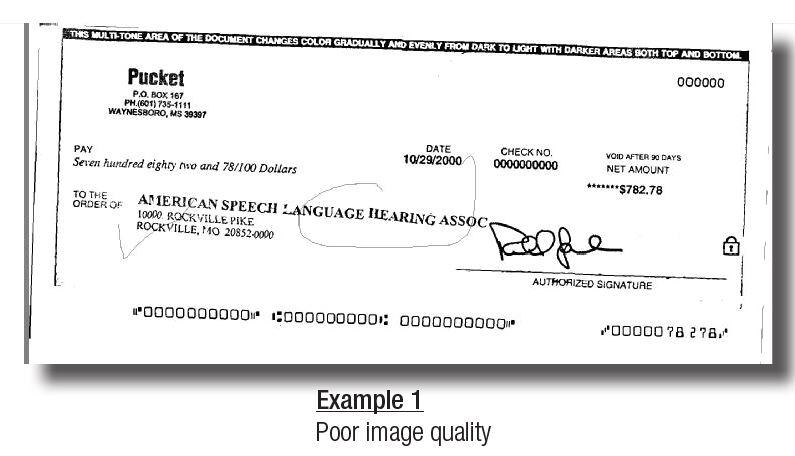
- Maintain image quality standards.
- Skew, noise and other defects reduce PNV accuracy.
Printers & Ink
- Avoid using dot matrix printers.
- Use only black ink.

Font
- Arial font is preferred for PNV.
- Other acceptable fonts include: Times New Roman, Courier, Verdana, Univers, Tahoma, Albertus, Batang, Bookman and Zurich.
- PostScript printers (DPT units) should use size 10 fonts. If measured by pixels at a resolution of 200 dpi, size 14 should be selected.

Handwritten Items
- Handwritten business sized checks typically have a lower match rate due to the nature of strict matching criteria within the PNV logic.
- It is best to reject most handwritten checks and process manually versus accepting low scores and increasing the risk of fraudulent transactions.

Formatting
- Avoid extra spaces, underlining, italicizing or bolding. Use of punctuation should be limited.
- Example: UNITED WE STAND is preferred to UNITED-WE STAND!
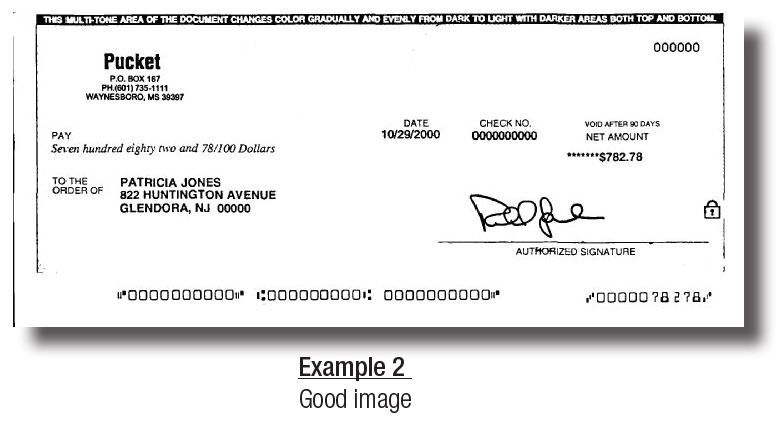
- Payee data should be displayed in a clear area, free of and not touching other text, lines or stamp marks.
- Avoid extra spaces, underlining, italicizing or bold face fonts.
- The use of all upper-case is recommended.
- Verify visually that the characters do not touch each other.

Pitch
- Provide sufficient spacing between individual letters within the name so that each letter of the name can be clearly read.
- Example: LIVE could be misread as UVE if the letters are not spaced properly.
- It is recommended that most printers use pitch proportionate to the font, however, in situations in which pitch is fixed, the vendor has suggested a pitch size of 10 pt.
- After printing, there should be about 10 characters per inch.
Special Characters
- Do not use special characters, such as an asterisk (*) on your issue file for Payee Name processing.
- Special characters are not typically contained in legitimate payees and can result in higher exception rates.
- The following characters are standard and acceptable for payee names:
- ABCDEFGHIJKLMNOPQRSTUVWXYZ
- abcdefghijklmnopqrstuvwxyz
- 0123456789
- , . : ; / & # @ ( ) ‘ —
*Accura XV 2.1 and up will also add the “+” symbol as a supported character.
Placement
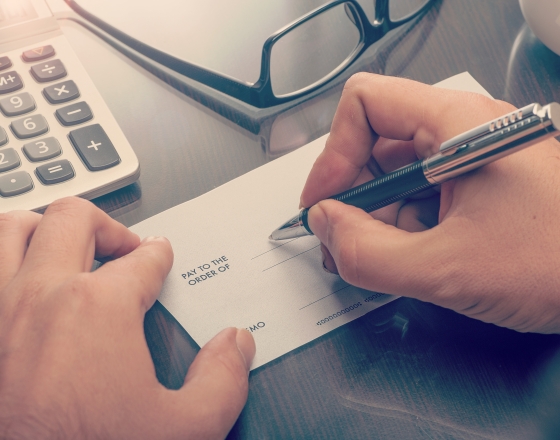
- The payee name should be listed in close proximity (to the right or just below) “Pay to the Order Of:”.
- Horizontally, the payee should not extend past the middle of the check.
- Vertically, the payee name should be located just below the vertical midpoint of the check but should not extend to the bottom 1/4 of the check or interfere in any way with the MICR line information contained at the bottom of the check.
- The payee data should be displayed in a clear area, free of and not touching other text, lines, or stamp marks.
-
Check Examples
Orbograph recommends the following guidelines be followed in order to obtain the highest level of performance from the PNV solution: