Alert Instructions
Set up email or mobile alerts.
Setting up Alerts:
- Log in to online banker
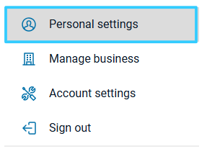
- Select your username in the bottom left corner
- Select Personal Settings.
- Select Alerts.
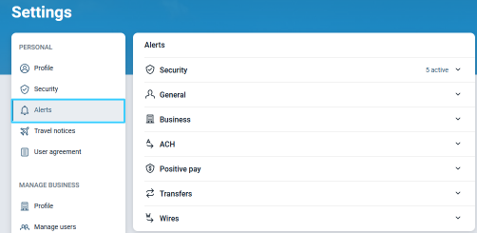
- Click each category to view the available alerts.
- Select the alert you wish to set up.
- Choose how you’d like to receive the alert. (Email, SMS/Text, In-app message)
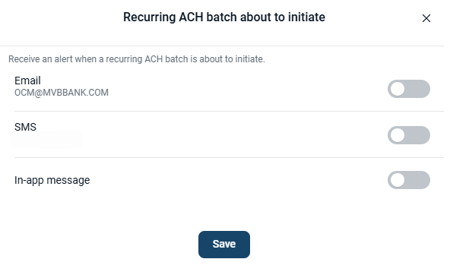
- Click Save.
Recommended Alert Options
-
Account Alerts
- Insufficient Funds
- Password Changes
- Company Email Address Change
- Company Mobile Address Change
-
ACH Alerts
- ACH Batches Initiated
- Recurring ACH Batch Failed
- Recurring ACH Batch Expiring
- Recurring ACH Batch Expired
- ACH Batch Pending Approval (if Dual Control)
- ACH Batch Updated
-
Wire Alerts
- Wires Transmitted
- Wire Transfer Pending
- Wire Approval (if Dual Control)
- Wire Transfer Update
-
Positive Pay
- Positive Pay Exceptions
- Receiving ACH Exception Items
- Positive Pay Review Time Ending